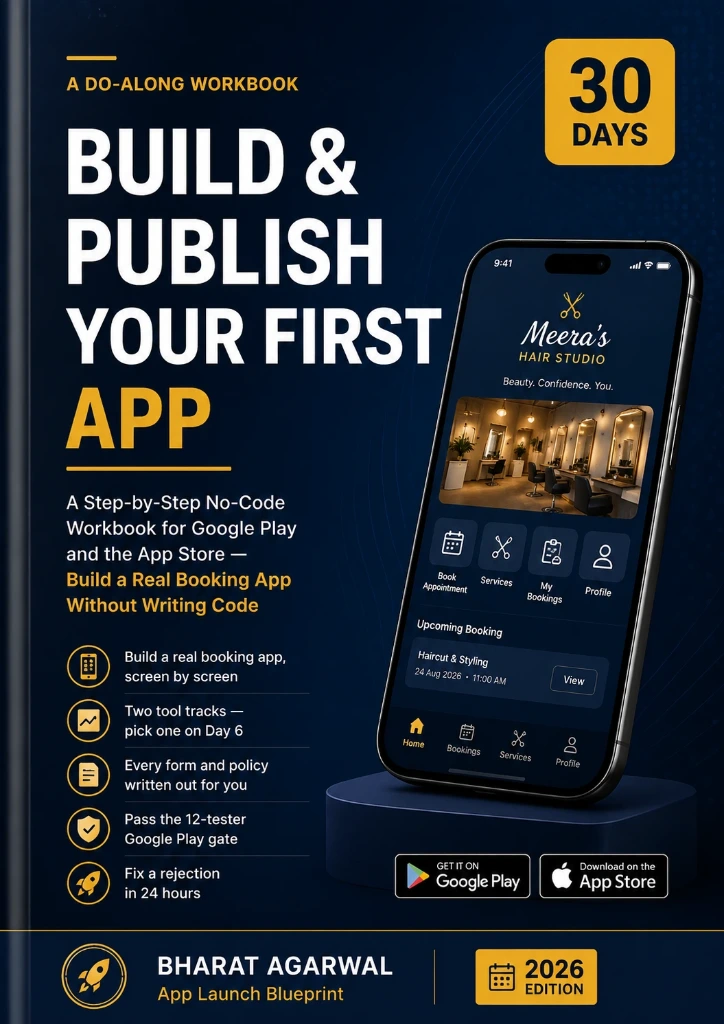
Build and Publish Your First App in 30 Days
Based on the e-book’s actual content, here is an SEO-friendly description suitable for an Amazon/KDP, website, Gumroad, or other e-book product listing. The description emphasizes no-code app development, Google Play, App Store, booking apps, Adalo, FlutterFlow, app publishing, and 30-day workbook without making unsupported guarantees.
Build and Publish Your First App in 30 Days
A Step-by-Step No-Code Workbook for Google Play and the App Store — Build a Real Booking App Without Writing Code
Have you ever wanted to build your own mobile app but assumed you needed to learn programming first?
Build and Publish Your First App in 30 Days is a practical, action-focused no-code app development workbook designed to take you from an app idea to a working app that can be prepared for publication on Google Play and the Apple App Store.
Instead of spending weeks watching tutorials, this workbook gives you a structured 30-day app-building roadmap. You will follow numbered steps, make decisions, complete practical exercises, and build a real booking-app example called StudioBook alongside fictional business owner Meera.
What You’ll Learn
Based on the e-book’s actual content, here is an SEO-friendly description suitable for an Amazon/KDP, website, Gumroad, or other e-book product listing. The description emphasizes no-code app development, Google Play, App Store, booking apps, Adalo, FlutterFlow, app publishing, and 30-day workbook without making unsupported guarantees.
Build and Publish Your First App in 30 Days
A Step-by-Step No-Code Workbook for Google Play and the App Store — Build a Real Booking App Without Writing Code
Have you ever wanted to build your own mobile app but assumed you needed to learn programming first?
Build and Publish Your First App in 30 Days is a practical, action-focused no-code app development workbook designed to take you from an app idea to a working app that can be prepared for publication on Google Play and the Apple App Store.
Instead of spending weeks watching tutorials, this workbook gives you a structured 30-day app-building roadmap. You will follow numbered steps, make decisions, complete practical exercises, and build a real booking-app example called StudioBook alongside fictional business owner Meera.
What You’ll Learn
How to decide whether your app idea is worth building
How to validate an app idea before spending money
How to control app scope and choose the right features
How to design your first seven app screens
How to build a real booking app without traditional coding
How to structure users, services, slots, and bookings
How to implement booking, cancellation, and rescheduling logic
How to choose between Adalo and FlutterFlow
How to add native capabilities to make your app more than a simple website
How to handle account deletion and other important compliance requirements
How to prepare privacy, data-safety, and app-store information
How to prepare your Apple Developer and Google Play accounts
How to plan Google Play testing requirements
How to create app-store listings and screenshots
How to test your app like a store reviewer
How to respond when an app is rejected
How to turn your first app into a repeatable skill for small-business projects
A Practical 30-Day App Launch Plan
The workbook is organized around a clear daily schedule:
Days 1–3: Decide and validate your app
Days 4–6: Plan the features, screens, and development track
Days 7–14: Build the core app
Days 15–17: Handle privacy and compliance
Days 18–20: Set up developer accounts and begin publishing preparation
Days 21–25: Prepare listings, screenshots, and submissions
Days 26–30: Handle review, testing, and launch preparation
You also get a 30-day calendar, practical “DONE WHEN” checkpoints, filled-in examples, and blank YOUR TURN sections so you can apply the process to your own app.
Built Around a Realistic Booking-App Example
You will work through StudioBook, a simple booking application for a small service business. The example covers available time slots, bookings, confirmations, cancellations, rescheduling, customer accounts, owner access, notifications, and other practical requirements.
The same framework can be adapted for apps for salons, clinics, tutors, trainers, mechanics, photographers, consultants, and other service businesses.
Two No-Code Development Tracks
The workbook gives you two practical paths:
Track A — Adalo: A simpler drag-and-drop approach for getting a working app built and published.
Track B — FlutterFlow: A more powerful visual development approach with Flutter code export and greater potential for future growth.
You choose one track and follow it through the build.
More Than an App-Building Tutorial
This is not simply a guide to making screens look good. It also focuses on the parts first-time app builders often overlook: validation, scope, data structure, authentication, account deletion, privacy, testing, app-store compliance, developer accounts, screenshots, store listings, and rejection handling.
Whether you are building an app for your own business, creating a portfolio project, or exploring no-code app development as a freelance service, this workbook gives you a structured process to follow.
Stop watching endless tutorials. Start building. Follow the 30-day plan, complete the checkpoints, and turn your app idea into a real project.
How to prepare your Apple Developer and Google Play accounts
How to plan Google Play testing requirements
How to create app-store listings and screenshots
How to test your app like a store reviewer
How to respond when an app is rejected
How to turn your first app into a repeatable skill for small-business projects
A Practical 30-Day App Launch Plan
The workbook is organized around a clear daily schedule:
Days 1–3: Decide and validate your app
Days 4–6: Plan the features, screens, and development track
Days 7–14: Build the core app
Days 15–17: Handle privacy and compliance
Days 18–20: Set up developer accounts and begin publishing preparation
Days 21–25: Prepare listings, screenshots, and submissions
Days 26–30: Handle review, testing, and launch preparation
You also get a 30-day calendar, practical “DONE WHEN” checkpoints, filled-in examples, and blank YOUR TURN sections so you can apply the process to your own app.
Built Around a Realistic Booking-App Example
You will work through StudioBook, a simple booking application for a small service business. The example covers available time slots, bookings, confirmations, cancellations, rescheduling, customer accounts, owner access, notifications, and other practical requirements.
The same framework can be adapted for apps for salons, clinics, tutors, trainers, mechanics, photographers, consultants, and other service businesses.
Two No-Code Development Tracks
The workbook gives you two practical paths:
Track A — Adalo: A simpler drag-and-drop approach for getting a working app built and published.
Track B — FlutterFlow: A more powerful visual development approach with Flutter code export and greater potential for future growth.
You choose one track and follow it through the build.
More Than an App-Building Tutorial
This is not simply a guide to making screens look good. It also focuses on the parts first-time app builders often overlook: validation, scope, data structure, authentication, account deletion, privacy, testing, app-store compliance, developer accounts, screenshots, store listings, and rejection handling.
Whether you are building an app for your own business, creating a portfolio project, or exploring no-code app development as a freelance service, this workbook gives you a structured process to follow.
Stop watching endless tutorials. Start building. Follow the 30-day plan, complete the checkpoints, and turn your app idea into a real project.